Tuesday, 28 December 2010

The Pharmaceutical Race

My first tablet computer was an Archos 5 Internet Tablet 5 towards the end of 2009  which ran android 1.5 and also played a variety of media due to the Archos's extensive codec library.  It was during the short time of me having this tablet that I could see the potential of having a hand held computer that was not windows based, could be instantly powered on, had a large screen and could take the place of laptop, desktop or even smart phone for my daily internet activities.  This story was short lived when the Archos 5 decided to die on me, reset itself and lose all of my files and settings.  This left a sour taste in my mouth if I  could rely on this device when at any minute it could potentially do this again.

In January 2010 I saw the Ipad, laughed like other people at Apple's arrogance that they just invented the world again but still thought that it would be an android based table that I would end up with.   I purchased a cheap table from Hong Kong via Ebay for about £130 called an Eken M001 which was 7", ran Android 1.6 and had a resistive screen.  The technical specifications were similar to other tablets that are coming from the far east and are now available for about £100 over here.  Although this tablet was okay for ebook reading, minor browsing or reading your emails, again this was short lived because the keyboard was terrible for typing on.

It was after these two instances and after  recently purchasing an Iphone that I decided to purchase the Ipad.  The purchasing itself was not easy after being nearly ripped off on Ebay and after reserving one in PC World to only turn up and find out it was not in stock that I nearly gave up.  Although at the  end of January Apple showed the world that they had invented Tablet computing, my perception was they just brought a device to the market that worked, was well specced and had lots of applications that would differentiate it from calling it a large iphone.

Towards the end of 2010 we have seen the release of the Samsung Galaxy Tab at around £450, many have called an Ipad competitor and more recently the Advent Vega at £250.  I got hold of the Vega from Pc World because the specification was good, it was running Android 2.2 and had a capacitive screen.  My conclucisons on this device are it is a steal for £250 compared to the £100 tablets mentioned ealrler.  But you really need to apply the Performance Pack supplied by modaco to extend the device to include the Google Market and other services.  I would have kept the device if it wasn't for a bad episode with a 16gb SD Card which would not just work in the device.  After 3 formats and and rebuilds of the Vega I had enough, it was wiped, photographed and boxed to be sold on Ebay.  It sold within 12 hours.  Although this would could have been conisdered a bad memory card issue, it was very similar to my Nokia 5800 problem again with a 16gb SD card back in January 2008 of which I concluded was a hardware issue.  After dealing with this problem for several months I got shut of the 5800 and likewise I thought I am not being a slave to this problem with the Vega so subsequently sold this.

I was considering the Samsung Galaxy Tab and saw the device in the flesh, briefly used a colleagues and liked the keyboard but I settled on a second Ipad due to a video I saw on youtube of the Google Mail application on the Tab.  Unlike the Ipad, the Tab, like the vega, like the Eken and the Archos 5 do not use the screen real estate where ultimately the applications available for Android are all geared towards 800x400 or smaller.  You can argue the Ipad which can use IPhone applications at 2x the resolution looks terrible but there are more Ipad applications available that make use of the higher  resolution.

So , since December 2009 Android hasn't really developed on tablets and even google had said that until version 3 of Android it will not really be ready.  Whilst Samsung have done a sterling job with the TAB,  with a 1024x600 resolution the size of text on the screen in poroporiton to the screen size make it look like a childrens book with large writing.  Also the price of £450 approx is ridiculous and personally I wanted a product I know that will work for me, has a plether of applicaitons that are tablet aware and offers a welll rounded package.

The next version of Android needs to be an evolution, not lose its phone roots but show a distinct difference between a tablet os and phone os.  Google need to remove the restrictions of not allowing manufacturers  to use the market place because a tablet with Google is about as functional  as an etch a sketch.  Whilst "WIth Google" is an important trademark, it shows consuimers that this is a virgin device with no manufacturer tweaks, it needs to be freely available for any tablet that is to be launched.

Applications, applications and more applications need to be released that can take advantage of the screen real estate and offer more funcitonality than theiir smartphone os based versions. Sadly I dont believe this will happen until mid 2011 until the new version of Android is released that will allow higher resolutions and allow more diversity in devices so that they can make use of the Google services.

The hardware of the Advent Vega is the beginning of this evolution  but the OS desperately needs to catch up.  The Samsung Galaxy TAB shows what can be achieved with the right mix of hardware and Software, but it could be better as it is  shameful that you have to rely on Samsung to enhance the OS with a skin to supply a well rounded product.  This is  reminiscent of the HTC Sense on WIndows Mobile 6.5 where a skin was required to provide additional functionality.  This also the starting point of where Windows Mobile started to go wrong with manufacturers skinning the core OS, trying to hide the ugliness and lack of features which would always fall foul of when the OS was upgraded as it would mean  you need to either purchase the new model of hardware to get the new OS or wait endlessly for the manufacturer to update their skin.

In 2011 I dont know what devices I will have, but wouldn't have said in January 2010 that I would be typing up this blog on a macbook, use an iphone and own 2 ipads.  Whilst Android was and is still a market leader in mobile OS, Apple with have caught up on the hardware and OS and have certainly overtaken on the tablet front.

CES 2011 will be happening soon and this will set the scene for the rest of the year where one does not have to think hard that there will be a plethora of tablets on show.  However I do believe that unless Google changes the way they are developing  Android, restricting the minimum specification that allows manufacturers to use the whole Google package or begin to encourage developers to create a tablet version of their software; that android  could over time certainly go the way that Microsoft WIndows Mobile went; if they are not already heading down that path.

As with all races this is not just a two horse dash, there is the Blackberry and Palm offerings where I believe the Blackerry Pad will be business focused and the Palm We OS offering whilst technically fantastic will  also fall foul of here being no applications due to lack of developers and low uptake of the Palm Web OS just like the Pre now.

But as with any race we will not know until the end of the year to see who has won and who has fallen by the way side.


Friday, 24 December 2010

Snow, snow and more snow

Two weeks ago I started Italian lessons which was organised via work and an external tutor. For the course we were following a book called Talk Italian by BBC Active. I found a very good deal on the book from Amazon for £7.44 which included the book and the 2 course CDs and free delivery.

3 lessons on and 2 weeks later I am still waiting on delivery for item which was expected to arrive on 16 December. I know that eventually it will be delivered and this blog post is not a rant about the UK, lack of infrastructure and being unable to cope with snow.

But it got me thinking. I own several electronic devices such as an iPhone, iPad and MacBook and previously had an ebook reader. However I could not find for the life of me either a digital version of the course book or an mp3 download of the CDs as a legal purchase or torrent which I could have used on the course as I have all of the peripherals put them on.

I can see christmas 2011 being different from this year as 2010 has shown one thing about online shopping. You are still at the mercy of the weather and local delivery companies. For one thing next year I will prepare a lot earlier when purchasing presents or elect to purchase gifts that don't rely on local infrastructure for delivery.

As we move to a more connected world with devices to enjoy media such as the kindle for books, ipad for media consumption and the ipod for music. The major companies who control the actual content need to drastically change and not hold back and allow it to be used on all of these devices. Prices need to become more realistic to reflect that there is no physical item for example ebooks costing more than their paper counterparts. They also need to ensure that older content is available digitally. People will always want the physical content as it feels like they have purchased something that they can hold. Whereas if it was digitally available it could be delivered even in adverse weather conditions and at times like now when I really need it and can really benefit from using it whilst on my course.

I now get all of my magazine subscriptions via zinio, use google reader for my news catchup and twitter for news alerts. I cannot remember the last time when I purchased a magazine to read and am already contemplating another iPad as my other half uses the one we currently have.

There's nothing special about the iPad, it is a large iPhone but as a package I just works. There will be many more tablets next year such as the palm pad, the blackberry pad and numerous android tablets. Irrespective which side of the fence you are on, one thing that will happen is they will change the way we consume media but only and I stress only if we can get hold of it.


- Posted using BlogPress from my iPad

Wednesday, 15 September 2010

There's an app for that but it will cost again

Over the past year I have jumped between mobile devices and various operating systems and have purchased a lot of software as I like to ensure consistency between my devices that I have the same if not similar applications on each one.

One thing that I am doing more is using my device more for data and media consumption rather than making phone calls. This is why I am now looking for a data only tariff that will allow me to use voip for making outgoing calls but also allow incoming as I will have a sim in the device.

Having being predominately a symbian user in the past using both s60, s80 and uiq in its former days I found that any application that I purchased could not easily be transferred to another device without having to make the purchase again. Whilst I can understand this for pc based os such as windows and Mac os x when I upgraded from s60v3 to s60v5 I found the same rule being applied by many software houses. More recently I have found this with meego/maemo with an application such as docstogo or sygic maps both of which I have owned on previous os such as s60.

Like s60 you will find the same restrictions with android and ios where If you purchased one application on android you will sometimes need to purchase the same one on ios to continue using it. However there has been one difference with these devices, should I own more than one device such as an iphone 3G and 4 and a nexus and htc desire, you are able to install the paid applications onto both devices. Now with ios I believe this is part of the license agreement although you may find applications that you need to purchase twice to get full functionality. Whereas with android you will need to refer to the license agreement with the software.

I will add where I have two or more devices and want the same applications on them then if the license dictates that I must purchase separately then I will do this, for example i do this with the ipad and iPhone as there are usually differences between the two applications.

On thing that has become apparent to me is that when upgrading either an android or ios device how easier it is than symbian as there is no messing with license keys when reinstalling the software. After spending many hours setting these devices up this has been a godsend and made the enjoyment of owning them a lot more pleasurable.

Now Nokia have announced two exciting devices this week the n8 and e7 where it is the latter I would love to purchase but it is on symbian ^3. However I am being held back by my previous experiences with symbian and applications as I would expect to have to make another purchase in order to upgrade. Whereas htc announced the desire HD and desire z today and I know if I bought them or if a new iPad/iphone was released tomorrow then I would be able to use the applications I had already purchased and not have to spend my money again.

The hardware features of both the n8 and e7 are excellent but for now usability and the application store experience is becoming a more key attribute when selecting my next device in addition to specifications.

I have found the Ovi store to be a kludge and very unusable, slow and painful when either trying to install or purchase applications So unless Nokia can ensure that the Ovi App store experience improves to the standard of android or iPhone then I will not be rushing to get a new symbian device.


- Posted using BlogPress from my iPad

The new twitter

Twitter relaunched their website today with a new look and more features to allow users to interact with the site. Through signing agreements with 16 media companies you will now see embedded pictures and videos in the site without the need to move to another window.

The ui has also been changes to have two panes - one with the timeline an the second with further detail showing the embedded media and other detailed information such ad conversations.

The changes were made to improve the user experience as over 50% of twitter updates are done via the website.

The changes are slowly being rolled out globally.

You can find out more here http://t.co/E9Dbh0H


Friday, 10 September 2010

Is there a real voip solution for mobiles so I can have a data only tariff?

My mobile contract is due to finish in November and I am contemplating where to go next. I currently pay £65 per month that gives me 10gb of data, 500 text , free national phone calls and 600 minutes of talk time for other numbers.

Since getting broadband again my data usage has dropped to under 3gb, I only send under 100 texts a month and I hardly make or receive any phone calls. Therefore I am thinking should it be payg, sim only or mobile broadband. I know I don't want a contract and to pay for unused call time.

I was thinking that I want a data only tariff and use a voip service such as Skype or Truphone for making calls and send text. However I am not convinced that voip over a 3g network is mature enough to be a viable option. If google voice had been available then I could just keep the data tariff and have one number for incoming but assign several numbers to it for example the mobile broadband. Whereas I have used Skype and it only runs really on the n900 whereas I am currently using an iphone and have found it to be a kludge.

My objective in all this is to save money but have a cheap reliable service to make and receive calls when needed but also be able to send/receive the few texts but have a 3gb data Bolt on. Ideally the calls to landline numbers should be free after paying a subscription such as my £3.30 per month to Skype. But the problem with the latter is I cannot text. With trephine I can text but their call tariffs are not as cheap as Skype

I will continue to do research over the next few months before I decide but ultimately a talk time and text tariff are a waste on me as only data is needed. But again the data only tariffs are very poor and I don't believe I could transfer my existing mobile to a mobile broadband only sim.

So I am between a rock and a hard place but hopefully I will find an answer soon.

- Posted using BlogPress from my iPad

Friday, 27 August 2010

Infinifolders


One of the best things with ios 4 was the introduction of folders. This has meant my application icons rather than taking up several screens can now be placed in a folder.

I now have all my applications organised on one screen in separate folders depending on the category.

Apple replaced a restriction of only 12 icons per folder which is okay if you don't have many applications. But being a heavy mobile user I have a lot of applications installed.

Through jailbreaking I have been able to install an application through cydia called infinifolders.

The application is priced at $1.99 but has removed this restriction and now allows more icons in a folder and you scroll to locate them.

The following video shows this in more detail and the various options infinifolders has.

This is a very cheap and recommended enhancement if you have jailbroken.


- Posted using BlogPress from my iPhone


Monday, 16 August 2010

In my fathers house there are many rooms

It was good to see a recent jailbreak of the iphone 4 where all you had to do was go to a website, click on the jailbreak me switch and within a few minutes it was all done. However there are serious security implications of this jailbreak as all it required was to download a pay loaded pdf file which then allowed remote code to be executed which effectively compromised the phones security within seconds. Whilst apple believe a controlled environment can always ensure a more secure safer experience this is a prime example that this philosophy is not always true.

I also believe that because apple cannot easily roll out an over the air update to fix this issue if there were several hundred iphones within an enterprise to update then hooking up to itunes via USB is just not practical.

There are two distinct types of iphone users now the jailbreak has come along, Consumers and customisers. A consumer will use a phone how it has been designed and will not venture far from doing stock processes on it. Whereas a customiser is usually someone who has had another phone and knows how much apple have locked it down and what jail breaking can do to release it.

Whilst in church many years ago I can always remember the verse "in my father's house there are many rooms". I believe in the iphone church that the two distinct types of users above are in two rooms - consumer and customiser. Since jail breaking my iphone and showing my colleagues who are living in the other room as a consumer, I have shown them the phone is capable of becoming a mobile hotspot, I can filter calls and SMS automatically, I have access to my calendar on the lock screen, I can multitask with any application, I can receive notifications on the status bar instead of the annoying messages that are pushed and I can also control my ip connection with the firewall application.

Whilst some of the applications I run are specialised such as the firewall and mobile hotspot; from demonstrating the cosmetic changes to the notifications and lock screen summaries using intelliscreen and notified, my colleagues are beginning to see how much of a blinkered life they have led.

Recently I have also purchased the wifi sync app which removes the need for a USB cable and again mouths have just dropped in belief as they thought this was impossible.

Apple are a marketing goliath and whilst they have been successful In the marketing of the iphone and iPad they should be looking to the jail breaking scene and embrace it like palm did Through banning applications such as the wifi sync, camera+ from using the volume button as a camera button and tethering applications they have really limited the device. Although their domineering approach to approving applications is known as being ruthless, even if they allowed these applications into the app store they could still ensure rules are not being broken or that consumers are being set up to fall.

My iphone is a great device with decent hardware and battery life. Now it is jail broken it is a more useful device that I am more akin to with android, maemo and symbian.

It may never happen but I am excited to spread the good word that jail breaking is beneficial other than what is perceived and being marketed.

Thursday, 12 August 2010

Wifigate Part 2

Those of you that have been following me on twitter know recently I have been having issues with my IPhone 4 and WIFI. My Ipad using the same applications and access point downloading the same podcasts does not struggle whereas the IPhone 4 does. The files it really struggles with are the Phones Show chat and Video.

Recently I have stopped with a friend for a short break who gave me access to the Internet via his netgear router. I wasn't really expecting anything better than I currently had at home in terms of performance of the IPhone over WIFI but I was surprised - the phone just worked as it should do. I did some testing of the podcasts that has previously caused issues and it just worked.

I subsequently checked my friends settings and found they were all similar to mine and started to look around on the Internet for answers. From reading it began referring to threshold settings for the wifi and retransmit values to try but I found my router did not have this level of configuration.

I already have 2 wireless routers on my network set up as access points to ensure I am connected as I move throughout the house. These are not using the WDS (wireless distribution system) as they are not compatible. However I have found using both my netgear DG834PN and the supplied O2 wireless box III neither work well with the IPhone 4.

I decided to test a third router I had lying about - a Huawei DMR100 which us a 3g router. I configured this as an access point and to only use the DHCP server on my main router. This was then connected to my LAN using homeplug over a 11mb connection. To my surprise it is performing just as it did at my friends house and is downloading the podcasts with no issues at an acceptable speed. Whereas connecting direct to my main router or the wireless box when I used this both was very slow to the point of not usable.

So whilst I am lot happier to have found the issue and been able to get a workaround it does prove one thing - the IPhone 4 is certainly picky on what router it wants to connect to and after trying 5 I am glad to put this problem to bed. It also has the plus that I will now keep the phone for a little while longer.


Monday, 2 August 2010

The shackles have gone

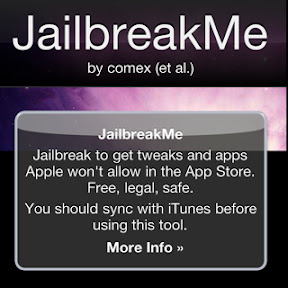
Last night I went to the site http://www.jailbreakme.com on my iPhone 4. After a few minutes I had successfully jail broken my iPhone and now have the cydia store installed.

Apparently this is possible due to a bug in safari when downloading PDFs, but I have no further information on this.

The first app I loaded was mywi which has allowed me to use my iPhone 4 as an access point. This will allow me to use the extra data I pay for for tethering. I have also installed backgrounder which allows apps that cannot multitask to be sent to te background. These two apps out of the hundreds available are a reason enough to jailbreak.

It's early days, the jailbreak didn't work on my iPad and there's a rumour that mms will no longer work on my iPhone 4. I don't care about the latter but really want to jailbreak my iPad.

So let the games begin.


Thursday, 29 July 2010

Iphone 4 wifi issues

I have had the iphone 4 since the launch on June 25 and have been happy with its performance overall. The only niggling thing that has been annoying me has been the poor performance over wifi.

As I download a lot of podcasts over a month as I follow 16 separate shows this can usually mean over 2gb in downloads. Originally I used to do this over 3G but since getting broadband at home and wifi I have been attempting to use this instead and preserve my 3G data usage.

Originally I was using podcaster and then drivecast to download the podcasts but was swapping forwards and backwards between the applications due to the poor performance of each application crashing or slowly downloading over wifi. It even got bad with some podcasts in that I elected to switch back to 3G which was totally defeating the object.

Recently I have purchased an iPad. Again using the same drivecast application via the same access point I am getting expected download speeds over wifi. This in my eyes proves the issue is with the iphone 4. I have also observed using the good reader application to access my google documents accounts that the ipad is quicker than the iphone 4.

Although I am aware of the death grip issues and am happy to receive a free case I haven't really experienced any issues of this nature. However the wifi on the iphone especially since the 4.01 upgrade has seriously degraded the phone. There was mention that the wifi on the ipad used to be terrible but I never saw this first hand as I upgraded to the new ios on the same day I got my iPad.

I do hope Apple like the issues with the death grip also get the wifi issues sorted soon as it's just plane useless for downloading my media direct to the device. Further I believe it tarnishes my usage because with this phone at the moment I have no other major complaints.


Thursday, 3 June 2010

Follow the ISheep

I have decided to put my nexus, n900 and android tablet on EBay to buy some new kit but to also remove the pain these devices are giving me at the moment.

The Nexus with Froyo doesn't work for me because all of my apps aren't available in the App Store or just don't work.

The N900 is still too rough around the edges 6 months on and I believe Nokia alately seem to be distancing themselves from it thus making it a niche product.

The android table whilst cheap needs a higher specification to be of any use.

@gerrymoth on twitter asked well what phone next?

To be honest the HTC Desire looks interesting but I am waiting to see what Apple delivers in the Iphone 4G. I am expecting my gadget sale to be able to fund an Ipad but I am still wary of Iphone OS. Maemo, Symbian and Android have meant I have been PC free for 2 years but the Iphone since the 2G doesn't seem to have moved on because it requires Itunes.

So I am challenging anyone reading this to convert me to Iphone OS and find me applications that allow me to still be independent:

Podcatcher - an application to download podcasts over 3G and be able to play them locally without ever seeing an itunes installation

SMB/WIFI network browser - To allow me to side load files through SMB network browsing that I can use locally on the phone in applications again without the need of a PC and off device conversion

USB Disk Mounting - the ability to mount the local phone storage as a USB disk on a PC without the need for Itunes

I know a simple form of multitasking is coming and I know that Cydia store is available if I jail broke, but out of the box using the stock rom can IPhone OS do this?

The bells and whistles of the UI are great but when you start peeling back can it work how I want rather than having to convert myself back to a PC dependent world.

My fear if I was to revisit IPhone OS again after getting a 2G phone several years ago is whilst it has lots of applications and great hardware I will be expected to conform again rather than the device confirming to what I want.

Knowing that I have expectations of which I don't think are our too extravagant can the IPhone OS do what I want or do I have to become another clone?

Wednesday, 26 May 2010

Froywoes

I was very pleased to see that google released froyo quickly as it reaffirmed my commitment to having a google experience phone. If I had a HTC phone I would still be waiting for them to update their senseui to run on froyo before it was released.

I have being using a cynanogen 5.06 rom on my nexus because of 3g issues. Recently the nexus has been hanging especially when the battery was low so I decided to try froyo. I completed a nandroid backup so I could restore everything back quickly.

Well what a bad decision this was....?

Because froyo is new half of my paid applications don't appear in the marketplace. Then any applications I have installed must be unstable because the nexus is just hanging on the launcher force closing all of the time. It was nice to see the ram boost given by froyo by enabling the second bank of ram as does the cynanogen rom.

But Google should have warned both people and developers that applications would either need updating to run on the new os even if you don't use the new features. They should have also given more time to ensure this happened before the release of froyo to allow time for the changes just like Apple is doing with v4 iphone os.

Then my nandroid backup of the cynanogen rom must be corrupted as any video playback doesn't work now.

What this means for me is now a unusable phone as I have to invest time to rebuild my nexus with a cynanogen rom again or wait until my applications are supported in froyo.

Either way I am not happy about this and am now back on my n900 contemplating either an iphone 4g or desire....?

Tuesday, 20 April 2010

When a sat nav is useless like CoPilot


I have been the proud user of CoPilot for android since my HTC magic. Recently I am using it on my nexus one and have to admit I want something else.

Take a trip recently to Reading it frequently lost its signal. The live traffic was only reporting narrow lanes even though the I had been in my current jam for over one hour and when/if it detects a traffic issue it expects you to manually route around it rather than just get on and reroute like other sat nav solutions I have used.

Again relying on CoPilot to get me to Chester tonight meant losing its GPS even though when selecting the dialog message it can see 8 satellites and is communicating with them. Plus opening Google maps at the same time CoPilot still cannot find the GPS signal  yet Google maps does.

I have put these questions to CoPilot support and have yet to hear why their product just fails. Thankfully I have my n900 with Sygic maps with me for the return home.

Satellite navigation is something I expect to work especially considering I have paid for it. Even back in the days when I ran tomtom on Windows Mobile 3 with an externally connected Garmin GPS it worked, so why not today on better hardware.

Personally I cannot wait for Google navigation to come to the uk. For the interim if CoPilot cannot fix their bugs and sort out the automatic routing the last journey it will be planning will be to the garbage can.


Tuesday, 30 March 2010

Digital Economy Bill

I recently contacted my MP about the Digital Economy Bill and got a response from his colleague as follows:

......As Members of Parliament are bound by a strict parliamentary protocol, they are not permitted to intervene in matters which have been raised by the constituents of other MPs. I would be grateful, therefore, if you could provide me with your address .......

Whilst I am glad they have taken the time to write I cannot believe my MP is not prepared to do anything merely citing a canned response to my query.

My response to this was as follows:

....Whilst I look forward to receiving the reply I am somewhat surprised by your response.

As my local member of Parliament, irrespective if the questions have been raised by other constituents I am asking My Farrelly to look at this bill, its implications and to ensure that a full debate is completed rather than it being rushed through as a knee jerk reaction.

Working in the technology arena I understand the arguments on both sides however I do not believe this bill is the solution. Through putting pressure on ISPs to administrate the legislation will increase prices of which will be passed onto the consumer. The tracking of someone's activity via their IP address is flawed as the address changes regularly thus requiring ISPs to procure additional measures to administer and log this. Lastly the proposed body that will arbitrate in any offence after 3 strikes should be done by a court of law with a jury and not an unelected body of peers.

Whilst Mr Farrelly may have more pressing engagements that he has to deal with he also needs to put this issue high on his agenda.

Should the bill be passed it will take a period of time to amend and possibly even remove off the statute law.

I believe there will be further incidents of wrongly accused people and the increased costs will have a negative effect on the initiative of providing broadband for all.

Further do we need these extra costs when the economy is just beginning to improve.

When there are major market players such as Google and TalkTalk that are against the bill it surely demands some of Mr Farrelly's time to ensure it is given the appropriate amount of debate.

I sincerely hope that Mr Farrelly will take the time to look at the bill, its implications should it become law and ensure that it gets the required time to provide a proper solution.....

I may be asking for too much and do hope my MP does take this request seriously but I am am some what negative that this will happen.

I will update this blog as and when further communication is sent.


Emails have been edited


Thursday, 25 February 2010

Spring Clean

Yesterday I made the drastic decision to get rid of all of my phones except the following:

  • n900 - I am still interested to see how this develops
  • E63 - a nice cheap phone that is being used as my work phone
  • 5800XM - I am keeping this as a sat nav
I am getting rid of the following because I want a nexus one and an ipad later this year but here is a summary why:

  • HTC Magic - Great android starter phone but limited on specification
  • HTC Hero - Compared to the magic this is a breath of fresh air with the sense ui but HTCs lack of Android OS updates has shocked me. The magic is already on 1.6 whereas the Hero is 1.5 and newer applications I want to use are on android 2. HTC will update the Hero in march 2010 to Android 2 but my fears of not rolling out frequent updates where correct and as such I am abandoning non Google based Android handsets. I am of the opinion HTC either want people to upgrade to their new HTC Desire or Legend to use Android 2. Whilst this is their prerogative they have in effect stuck the two fingers up at existing owners. March isn't too far away but I believe this is a sign of things to come and I don't want to be party of it At least with a google phone I am guaranteed more frequent updates as Google develop the OS. SenseUI on the hero is great but does not bring that enough benefit to keep me on Android 1.5
  • N810 - I now have the N900
  • E75 - A great work horse but the 5800XM will now fill that position as being a back up device. The E75 is kind of phone you would either take out at night or away as the hidden keyboard really does make it look like a normal boring phone.
  • E90 - A great communicator and specification on a phone on par with the E75. I a sad to see this go but I really haven't used it for for over a year.
  • Palm Pre - There is a lot of potential with WEBOS but like the first generation iphone as there are no applications, the hardware is becoming long in to the tooth and now other phones such as the N900 and Hero with SenseUI no integrate with other social networks there is really no use for synergy. Should there be more applications that are more productive based I may look at WEBOS again. But for now, my conclusion is, it is nice to use but there is no substance due to lack of applications.
  • Palm Treo 680 - An old phone I had just lying around doing nothing. Again, nice OS and lots of applications but long in tooth for me.
  • BeBook Ereader - Not a phone but it will be replaced with the ipad or an android equivalent. I have not really used it and whilst it great on battery power I don't read many ebooks. Further its PDF support is limiting on the emagazines I read in that it is slow and does not render the pages well.
The replacements:

  • Nexus One - To replace all of my phones with its larger screen and Google android based OS. Because I have already purchased a lot of android applications I can quite easily port them over to the new phone.
  • Ipad Or an android equivalent - I am interested in a tablet device after using the Archos Android Tablet where the Ipad has caught my interest. However with the Dell Mini 5, ICD or a Tecra based Android tablet there will be others to look at.
Although 2010 might end up as 2009 with me purchasing many devices my intention ebaying the old devices is to fund the new purchased but also ensure I am not collecting clutter. I should hopefully have the nexus one within the next couple of weeks so will no doubt end up posting about it then.

Monday, 8 February 2010

Nokia spolit my fun.

Today Alk finally announced Copilot 8 UK Live traffic for Android and several other platforms at £19.99 per year. This is something that I have been waiting for since last year where I really could have done with it a few weeks ago on a long journey. However since it has only come out I had to resort to my trusty Navman S50 with traffic alerts on this particular trip.

I am also waiting on Sygic Mobile Maps for the N900 as the onboard OVI maps isn't really a satellite navigation solution. I believe the application has been submitted to Nokia for the past several weeks for approval but still nothing on when it will be launched or an indication of the actual cost.

Both of these announcements would have meant me rushing to purchase them straight away as I believe traffic announcements for Copilot are necessary and the N900 having an onboard mapping again enhances the use of the device.

However, old news as this is. I recently blew the dust off my old 5800, upgraded the firmware using windows 7 (another story some time) and installed the free Ovi Maps. I originally subscribed for 3 years to Nokia Maps (as it used to be known) when I first got my N95 because it worked out cheaper than getting 1 year. Since the subscription elasped I purchased Garmin Mobile XT for S60 another good satellite navigation program with freentraffic and cameras. So when Nokia announced that Ovi maps would be free my expectations were high but I was anticipating it to be no better then when I had initially subscribed.

Well how wrong could I be, free traffic alerts and rerouting. Free safety camera warnings. 3D landscapes rendering quickly. Lane guidance. It took me on my journey with the 5800 in landscape mode and didn't falter either on the routing, no delays in dispalyed or spoken instructions and the landscape display was large and clear to view the onscreen map.

Now the excitement of copilot and sygic has gone because I now have everything I need albeit in another phone but it is free. I only need to swap my sim as and when required.

So whilst nokia might have spoilt my fun because I really want to test these two software products, I am now getting all these features for free.

I will probably get Sygic for the n900 because it needs the software to make the device more useful especially considering this is now my main device. But I do hope Ovi Maps is extended to the n900 with free navigation.

All of the satellite navigation companies really need to wake up and smell the flowers, At the moment Ovi Maps for me is more cost effective than both Copilot and Sygic mobile maps because I have access to more mapping regions which can be stored on the device and free traffic/safety camera updates. It will be interesting to see how the satellite navigation business pans out in 2010 especially when Google extends their free navigation.

Today, my advice to anyone looking for a satnav is purchase a 5800 or another Nokia phone with free Ovi Maps Navigation.

Friday, 5 February 2010

Mini me


Recently I have purchased a lot of high end phones but today my VX1-mini phone arrived from ebay which is on the opposite end of the spectrum at only £20.

The phone boasts 90 hours standby and 100 hours talktime on a 400ma battery. It does sms with t9 has several ring tones and a built in speaker phone. The display is clear and the buttons very big for the times you cannot see the keyboard. Its also sim-free and dual band so no 3g here.

In all it is a back to basics handset for the times when I don't want to take out a high end device. The other use I have is to leave it in my car with a payg sim card for emergencies.

Because I rely on smartphones I have noticed that should I need to make a simple call, not forgetting this could be an emergency call. I am either fighting with a smartphone OS or a ridiculous boot up time all of which could be vital needed seconds.

Pessimistic as this may sound but the last thing on my mind insuch a situation is if I have hit the right key or if I cannot get a GPS lock when all that I want to do is a make a call.

The phone is functional, fulfills a purpose and could be useful to take away on holiday thus parting with my myriad of other expensive handsets I would normally take. It is also a handset that I can afford to lose or damage on a night out.

But I do honestly hope I don't get the chance to use it in an emergency. However if I do have to use it, I can trust that I am not waiting whilst looking at a manufacturers logo and the time is ticking......

Tuesday, 2 February 2010

Cross mobile platform exchange syncing with repeating events.

Back in the old days I used to sync a nokia 9500 and a Sony Ericsson P900 with outlook over a cable. I was pretty confident in that it worked and all appointments and events including repeats where duplicated correctly on each phone. It wasn't until my permanent move to linux that I needed to find a cross platform solution that didn't rely on a PC.

I had always used exchange and had found the S60 and windows mobile exchange syncing to be fine but there could be issues with duplicates or missing entries. I would then spend valuable time tweaking them until they appeared on both devices correctly.

Recently I have expanded the syncing to an android based HTC Hero, Maemo n900 and WEBOS Palm Pre. I have always sought to have a devicer with exchange syncing.

Today on looking in my n900 calendar a recurring birthday hadn't synced. I tried a full resync then extended my search to my other devices to see which one it appeared on. My E63 and Palm Pre synced the event fine bit both the hero and n900 hadn't. Further investigation on the E63 revealed the repeating annual event was started in 1994.
Now whilst you may argue just delete and recreate the event I was determined to get to the root of the issue.

The reason for starting in 1994 was because my old Psion 5 allowed me to create a start date for events and as such would advise me how old the event was. Hence I could work out some one's age. The P900 also allowed me to do this.

It would appear that both the hero and n900 exchange sync cannot cope with this. On changing the repeating start date to 2009 the event synced on all devices. I tried this also with an event from 2003 where I had an issue and again changing this to 2009 allowed it to sync across all devices.

Whilst birthday functionality has now moved from calendar back into contats it is amazing how something so little can cause an issue. It shows how mature both the webos and s60 exchange is compared to the newer platforms. Lastly it also proves that all exchange solutions are not 100%


Friday, 29 January 2010

Take the tablet in 4 hour intervals

Like many others I watched the Apple announcement on the 27 January to see what other revolutionary device was being brought to life. I am not an Apple fanboy because the only device I have ever owned was a first generation iphone for 2 months and I promptly sold it because it just wasn't for me. But I have to admit I am becoming bored of buying devices which either don't work, the manufacturers are not supplying updates or there are no good applications. Therefore an iphone 4g with multitasking would have been welcome.

I have previously owned 3 tablets an n810, an archos android 5 and now an n900. The n810 is a good web browser based device but to use it would mean carrying a phone of which can also do the same as the n810. The archos was better than the n810 at playing media but the android support was lacking in both applications and stablility. The n900 is a good compromise between these devices but is still really in beta.

I also own a netbook, a larger laptop and a bebook ereader and whilst all have their own merits from using the archos I have really enjoyed using a tablet form factor. The wider screen is good for reading on screen, you can tweet, reply to an email and play media.

Now whilst I can use these devices I should really be satisfied that I have this choice, but for me they do not offer the converged convinence that a tablet can give. On the netbook I lose real estate on the screen, on the laptop I have limited battery life, on the ereader I cannot web browse and my n900 has a small screen. A tablet should be able to plug all of these holes for me.

So enter stage left the ipad, a mobile internet device with a 10" screen in tablet format running iphone os not mac osx. Apple's view is that it sits between a smartphone such as the iphone and a mac laptop. Netbooks which would normally take this placed are merely viewed by Apple as a small laptop so aren't really new technology.

The ipad has the potential to be a complete failure like the newton, but unlike the newton it is riding on the back of the successful phone. Also because it will be using the infrastructure of the iphone app store and itunes it already has a working solution in place.

Now we have been here before with UMPCs and tablet devices running Windows Xp. I had a vega umpc but quickly got rid of it as the touch input was archaic with an onscreen keyboard that had to be used with a stylus. For longer text entry sessions I had to plug in a usb keyboard which then defeated the portability aspect. As a device for playing back media it was okay but a little under powered which showed with wrongly encoded video files.

There will be more competition for the ipad this year with android tablets such as the dell mini 5, windows based tablets such as the msi tegra and there will no doubt the myriad of clones to follow. Now I do believe these devices running windows and android will be more functional but do I want the windows nonsense of crashing. My previous experience of android on a tablet was disjointed because I couldn't access paid apps in the app store. The google experience had to hacked into the archos and ultimately the tablet was ridden with bugs.

With the ipad I get the iphone os experience, I get access to all of the applications which work, it is stable and tested and I have access to itunes although I will probably use other means to put media onto the device.

The only thing that puts me off is Apple's reluctance to open up the architecture so I am not restricted by their antiquated policies of policing the app store and restricting the device resulting in running a dumbed down OS on a high spec. We know it has the potential to multitask and do more because of the jail breaking scene on the iphone.

But it is this what I am fighting with because I don't want to be told how to use the device, what I can do with it and what I can run on it. The apple experience for a normal user is great because it ensures the device will always run at its optium and should be intuitive to use. However I am technical enough if it breaks to reflash and fix it if this is the resolution and it this option I want. My Palm Pre, HTC Hero and N900 offer me this.

So I am sitting on the fence as I want the ipad because it can complement the other devices I use but I have been stung by the apple experience before and know how limiting it can be.
The ipad like the iphone should in theory have an upgradable OS so even if I kept the device for a number of years I should be able to upgrade. With a windows based tablet it will no doubt stop working at some point. With android you are at the mercy of the manufacturer where my recent experience of aHTC with the hero there is a lack of regular upgrades and patching. A Google based android tablet might be different but I have already referred to the disparate experience you get on the archos android tablet.

Because the ipad is a device I want to pick up and just have it work the apple experience might be my safe guard. I have my other phones and laptops to tweak with whereas I see the ipad being the device I pick up and use if I want to sit and read, browse or email whilst on the couch having a coffee. I don't see as a device for outside the house but the potential for mapping applications is big, but I would look quite a prat using it as a satnav in the car. I don't want to make calls on it or need 3g as I have a mifi.

The writing is on the wall that I will probably get one and I am slowly finding reasons to justify it. My only challenge is do I want to be locked into Apple for apps, drm and being told what I cannot do.

The days of wearing clothes with my name in and gloves on a string so I don't lose them are long gone and I don't need to be reminded of this each time I sit down with an ipad. I also don't mind reading the instructions for example when taking tablets because I could harm myself if I get it wrong but then I am grown-up so do understand.

But do I want to take the apple pill?


Thursday, 21 January 2010

N900 - To be or not to be?

There are a lot of n900 reviews online talking about specifications of the hardware/software and how all of the applications work to the nth degree of detail. My post is from using the n900 as my main device for a period of 4 weeks (the length of time will become significant later).

Before Christmas 2009, after much deliberation I decided to purchase an N900. The phone was bought through a reseller where the price was competitive with what they where being sold for on eBay. When the phone arrived I promptly unpacked it and charged it up but within 1 hour of use it rebooted. I over looked this and promptly set about configuring the exchange sync, my email accounts and looking at what applications were available. I used various sources from NokiaAddict.com to allow me to access all of the development and testing resources and twitter for recommendations which gave me access to more applications. Previously being an N810 user I was aware of the issues around using test applications and that you might cause the device to become unstable, but I didn't care. For my N810 I have completely repartitioned the internal disk to increase the available installation space which has lead to the device being more usable. Considering I usually push things to the limit the enabling of these repositories was just another "walk in the park" for me.

Over the first few days I began experiencing several reboots a day which initially because the device was new I wasn't worried about but it got the point of becoming annoying. Doing investigations through searching on the web and posting to twitter wasn't really conclusive as there were two camps. People who were returning their n900s for replacements as they believed it was a hardware fault. This went to the extent of people commenting on how long they charged the battery from when the device was first switched on to discussions of battery replacements, battery charging voltages, what types of chargers were being used, the variety and quality of components inside the n900 and even people suggesting it was applications from the testing repositories. Other people were suggesting it was something to do with the device being in the middle of a process and trying to go into idle mode where it would force it to reboot.

The error I was getting of which could be displayed in a command prompt using "cat /proc/bootreason" was wd32_to.


Through following the link I was able to disable enable_off_mode which whilst reduced the battery life as power management had effectively been switched off it made the reboots from 8 a day to 0.

After 12 hours use I also came across another issue related to the reboot count where each time the device reboots due to the above it adds a value of 3 onto the reboot count. When the reboot counts goes over 50 and the phone reboots it will not load the OS, merely sitting at "2nd dot " of the "5 dots". Effectively the n900 was bricked where I had to reload the firmware to restore it. Again there was a fix for the reboot count. Recently I have managed to brick the device again but used this link to resurrect the device without the need for a reflash.

So whilst all of this was happening up until the first week of January 2010 through trying to use the device daily, I had come to the decision that should a fix not be released shortly then the device would be on EBay.

On January 12, a small fix was released that essentially allow the larger update to be done over the air when this would be released. Sadly, this fix didn't resolve the reboot issues and I had to resort to the workarounds mentioned above. Again, I was of the same opinion if no reboot fix was to be issued then the device was bound for EBay. It was fun trying to get this firmware on due to the fact I had filled the root filesystem so had to remove applications to make space in order to load the new firmware on.

PR1.1 firmware was released on 14 January, again this would not go on so was forced to take a backup, reflash using a cable and restore from backup. Firstly, the backup/restore was flawless in that it both restored all of my data and reinstalled my applications - although it had to download these again. This was nice to see bearing in mind I had seen some concoctions over the years claiming to me mobile backup solutions but wasn't any good. I had to laugh about the application reinstall because to my horror it needed to download 670mb of data so there is no wonder I filled up the root filesystem. The other advantage was any garbage that had been installed previously had been removed and my root filesystem is now back to a reasonable size although I do question the partitioning considering there is over 32gb on board and to only use a minimal amount for rootfs is ridiculous. In the forums it has been said my rootfs has gone due to me installing test applications of which are not installing to the correct partitions but this is just an excuse. Should someone repartition the n900 and provide instructions in a similar vain to my n810 then I will do this.

Now to the question did it fixed the reboots?

After reading up on the issues around the reboots I came to the conclusion it looked like a software bug as the workaround was to disable power managment. I also had assumed that this could be fixed through software. My conclusions were correct, the device since the firmware updates is getting zero reboots to the extent I was proud to publish an up time of over 24 hours on my twitter.

Daily I am enjoying using the n900 for Internet web browsing, Instant Messaging, Twitter. Email - in fact everything it was intended to be used for. The keyboard and form factor are great and as a two handed device it really works for me especially considering I am a fan of the Nokia Communicators. It could be used in portrait mode and there is movement to make more applications and the OS to work in this form factor but I am not convinced. Other than the phone application I see no need for this feature as it is just as easy to pull out the keyboard and work in landscape.

The main issue with the n900 is lack applications even though the device is new. Whilst there is a back catalog of Maemo 4 applications these all need porting. Because the web browser is full featured you can use this instead of applications for example you can use Google Docs, Google Maps, Twitter and edit your blogs without the need for dedicated applications. But because the browser can be resourceful having several windows of web open can slow the device down and ultimately when web crashes it closes all of the windows. Whilst the screen resolution is wide enough for browsing again everything within an application can seem cramped so you either have to zoom in/out. But until applications are released you have an alternative available.

After spending over two years gradually converting form windows to Linux through having to find alternative solutions to things that I naturally accept within windows I can be patient with the n900. Through this approach should I not be able to find an application I know there will always be an online alternative that I can use within the web browser. On this basis, I am keen to tell people who are looking at the n900, that should they accept this shortcoming, realise the device is a work in progress still then they will enjoy using the n900. If they are looking for something to work out of the box and do everything an iPhone currently does then n900 isn't for them. Whereas if you are looking for a device that has the potential to do everything an iPhone can and are prepared to wait then the n900 is for you.

I have found that you begin using the n900 for example Twitter, I can tweet, post pictures, post vide, post audio and complete searches but I am using a combination of the built in conversation/IM app, a python application called Witter, another application called MAKU and the web browser. Not exactly seamless but working. So you can begin doing something on the n900 but suddenly find you cannot complete because there is some missing functionality in your current approach so you have to find a workaround.

Another example of this is the OVI Maps solution. This isn't a satellite or personal navigation application on the n900 as it is on other symbian solutions. Currently there is no other navigation application available, however Sygic are making an application to fulfill this void. Hopefully this will be released soon. Google maps can be used with real time GPS navigation using this guide where I had to use this yesterday because OVI Maps was completely useless. Again, in time this will change.

There is an argument that the n900 is not a phone it is an Internet tablet. I have avoided using the reference to phone within this post as I believe it is a new breed of device. The n900 being one of the first devices with this blend of phone, Mobile Internet Device, Navigation Device with a high specification that can genuinely multitask has the opportunity to set the bar from which other devices will be judged. It can be compared and will be compared to the IPhone but they are aimed at two different markets. The n900 can hold its own without connection to a PC whilst the IPhone needs Itunes to benefit using all of its features. For example, I can take 350mb encoded divx file, put it on the n900 and it plays whereas the IPhone needs conversion to be done. Being niche is where the n900 might not be as successful because people want simplicity where lack of functionality and customisabiilty can occur. Most people want to be told what they can do within an application for example, send as an email or mms, whereas the n900 offers more choice share over bluetooth and share via a pipe where they can be extended without having to wait for the manufacturer to build in the functionality. Therefore the N900 has the opportunity to set the bar for this breed of device it also at the very beginning of a new open culture for Mobile Technology which needs to be embraced or it will fail. Android, Windows mobile and Symbian are very similar in that they can potentially and already do everything the n900 does but if you use the n900, look at the possibility that device can be a fully functional computer in your hand and wait (the key factor) here for the applications to be developed then you will recognise the potential and how far beyond the other mobile OSes this
can take you.

However, remember this is the future and not now.

Four days. Ten thousand photos. What a nightmare.

Exporting from Lightroom CC to offline storage turned into an engineering disaster. Lightroom Classic sync gave up at 80%, meaning 2,500 pho...